Top 5 Legal Websites for iOS 13 Free Ringtones Download
Here, we’ll be outlining and discussing the 5 legal websites for free iOS 13 ringtone download.
1
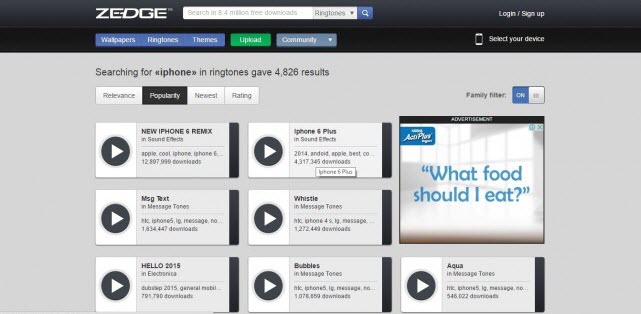
Zedge.net
If you’re searching for a website with a broad spectrum of contents such as ringtones, wallpapers, themes, etc. then consider Zedge.net. You will find the ringtone tab at the top bar of the window, and you can search for a song you love under a specific category such as rock, classic, country, etc. It’s a good website to get good tones for your iPhone 6/6S/…/XS Max.
2
Mob.org
Mob.org is also a great website for getting good and recent tones without paying a dime. The best feature of this ringtone website is that you can easily search for your favorite tones under genres or artists. You can also get the song conveniently by clicking the download tab or scanning the QR code. Games, themes, and apps are also available on the website.

3
Mobilesringtone.com
Another free iOS 13 ringtone download website that meets the rating of the above two websites is Mobilesringtones.com. This site gives you the thousands of ringtones to select from, and you can play the songs before downloading them. You can also choose the format to download the tone, and save it directly on your iPhone if you’re using the app.

4
Freetone.org
This website allows you to listen and download popular songs to your laptop, and if you like the song, you can share them to your friends on Facebook and Twitter, but to directly download the song on your iPhone is not supported yet.

5
Mobcup.net
When you’re kin on the quality of sound, then mobcup.net should be your choice. They offer their songs on M4R formats but you can download songs on MP3 formats too. You can sort songs based on categories for easier selection. However, you can’t get the song directly to your iPhone.

How to Transfer Free Ringtones to Your iOS 13 Devices
Sponsor ads:
Gihosoft RePicvid Free Photo Recovery Software provides a free photo recovery software for windows to help users recover the deleted or lost photo for free.
If you lost data after you updated to a new iPhone, you can always use Gihosoft iPhone Data Recovery to get the data back from the old iPhone or backup.You may also like: iphonerecovery.com


Nice to be visiting your blog again. it has been months for me. Well this article that i've been waited for so long. I need this article to complete my assignment in the college. and it has same topic with your article. Thanks. great share.
ReplyDeleteringtone download